TapebookTapebook Pro / before tax
Yearly
$129$215 a year
About $10.75 a month, billed yearly.
About $17.92 a month, billed yearly.
Renews automatically every year until you cancel. Cancel any time.
Get TapebookA trading journal for the trade, the plan and the review. It runs in your browser on desktop and phone and counts results in R.
No signals, no advice, no orders.
7 days of Tapebook Pro. No card.
In your browser, no account needed
Demo data
The journal
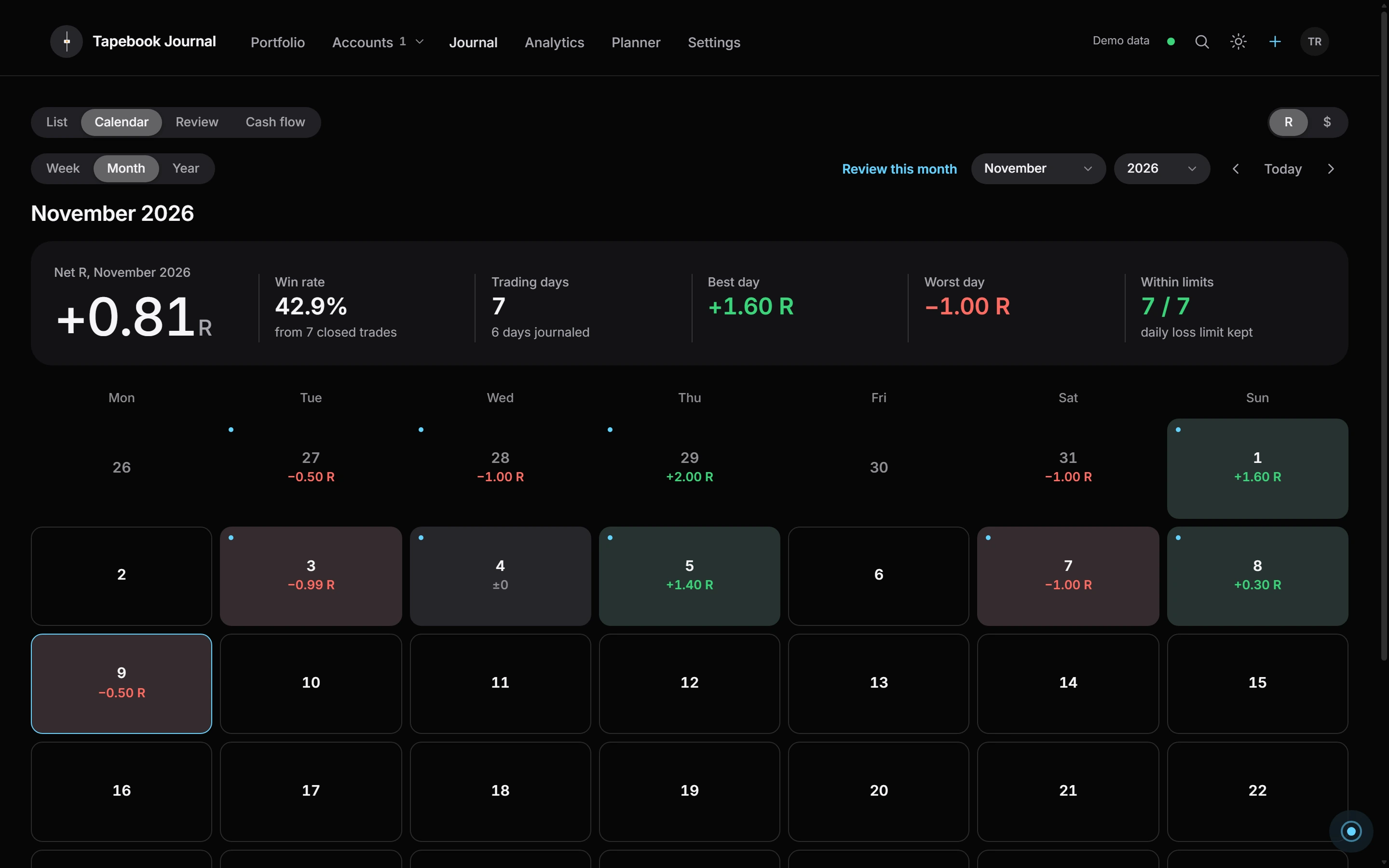
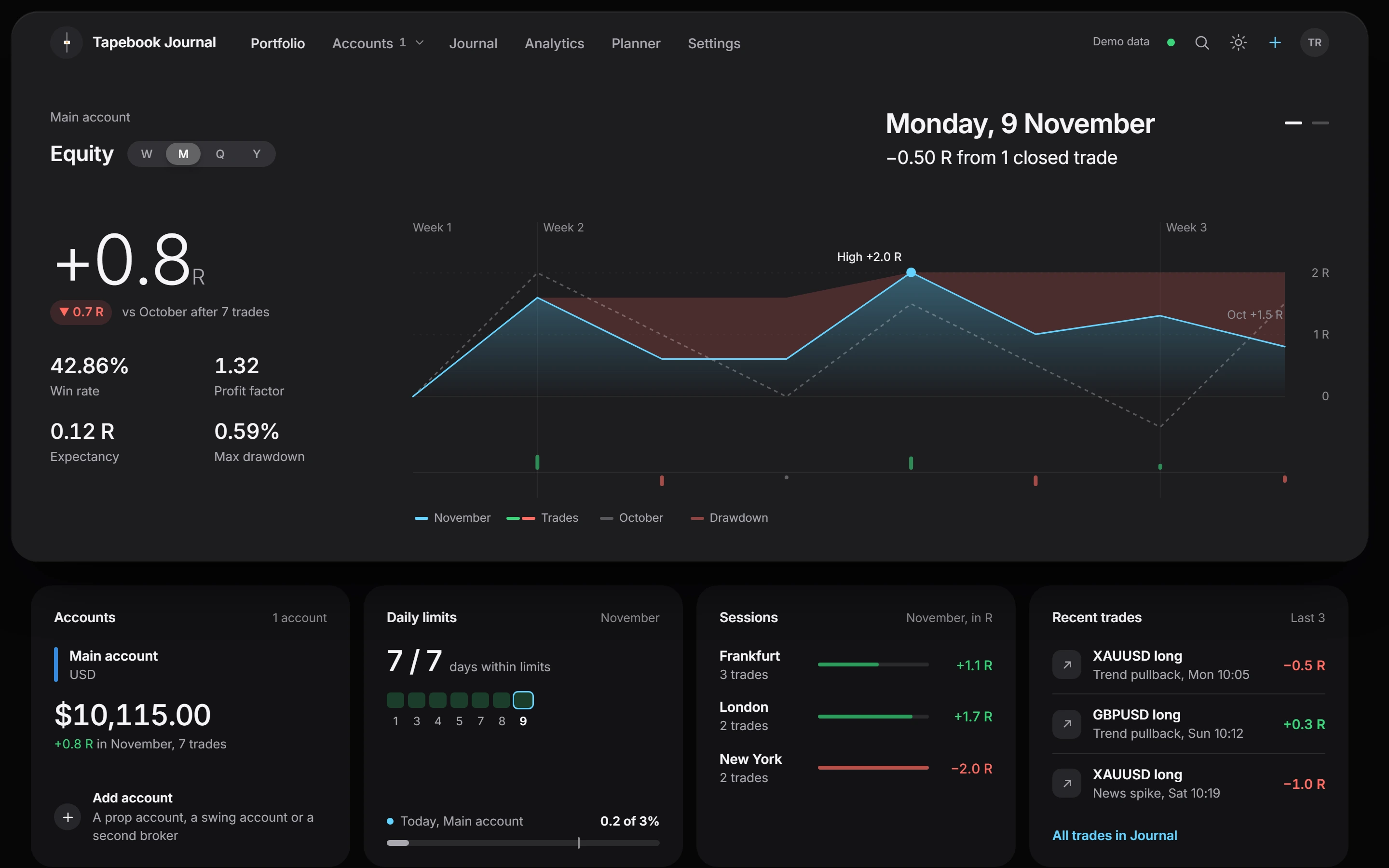
Tapebook on a desktop / demo data
01
Every trade you add lands on the calendar with its result in R, the risk you took and room for a note, a screenshot and a setup. Trades come from MetaTrader 5 through the Connector, from an import, or by hand.
Within limits 7 / 7 · daily loss limit kept

02
Before the session you tick your own checklist and name the plan, and the Planner keeps the week's goals in R. The account page shows today against the limits you set.
Today: 1 trade closed · Before the session 4/5

03
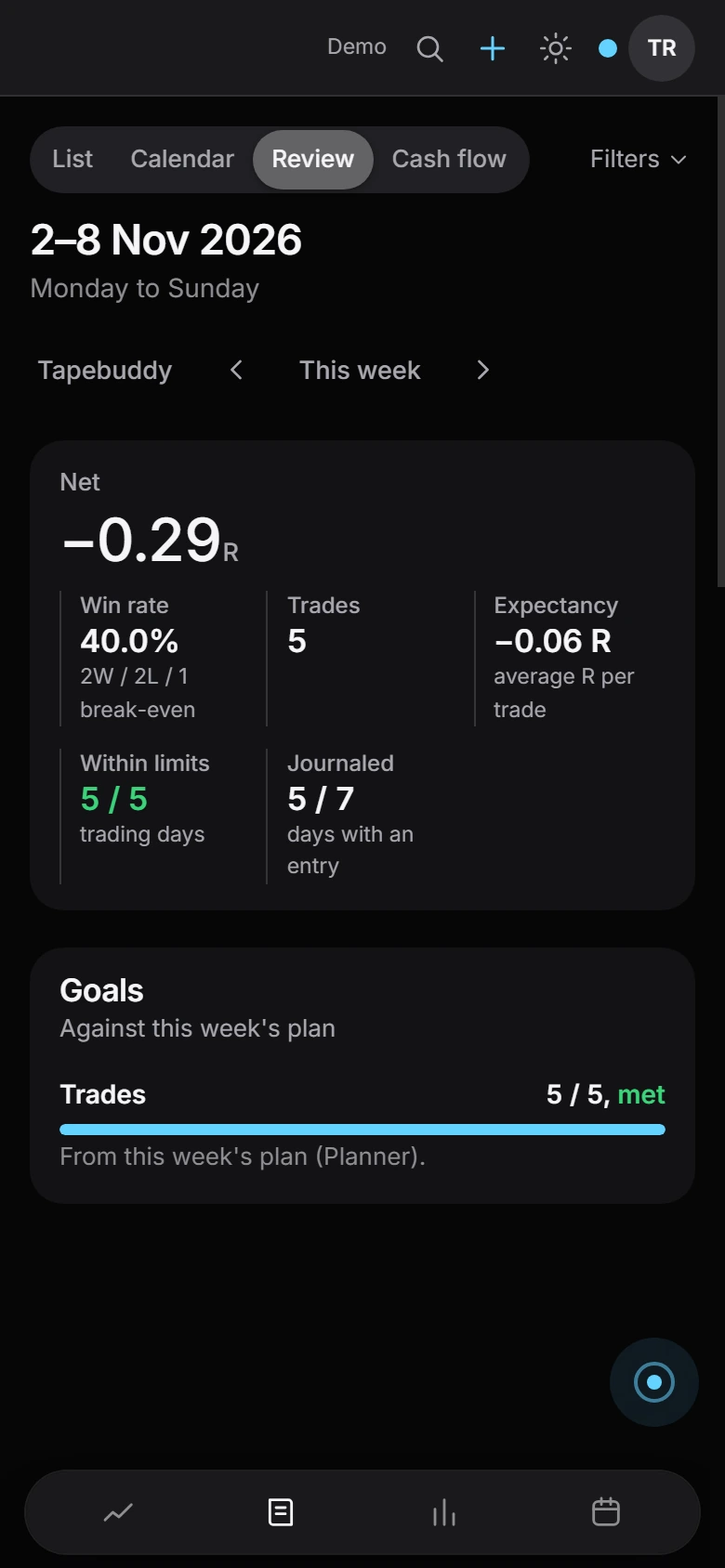
Sessions, setups and symbols side by side in R or your account currency, plus a review page for every day and week. When there aren't enough trades to compare, it says so instead of guessing.
Sessions · London · Frankfurt · New York
Tapebuddy / AI
Tapebuddy is the AI in the journal. It works on the numbers the app has already counted, so every figure in an answer comes from your journal. Its answers are written by AI and can be wrong.
01 You start it
A weekly review, a monthly one, today's briefing, or an idea to check. Or type a question in your own words.
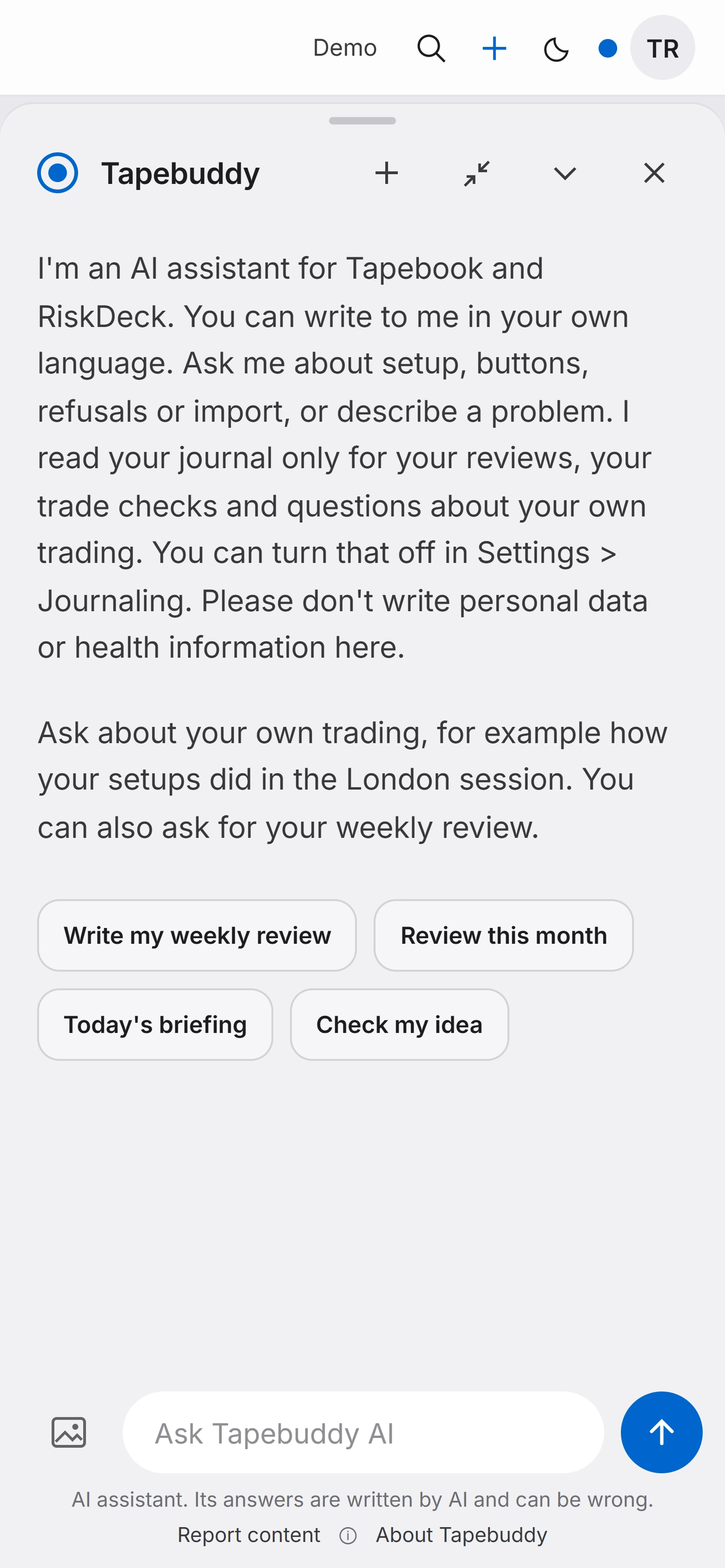
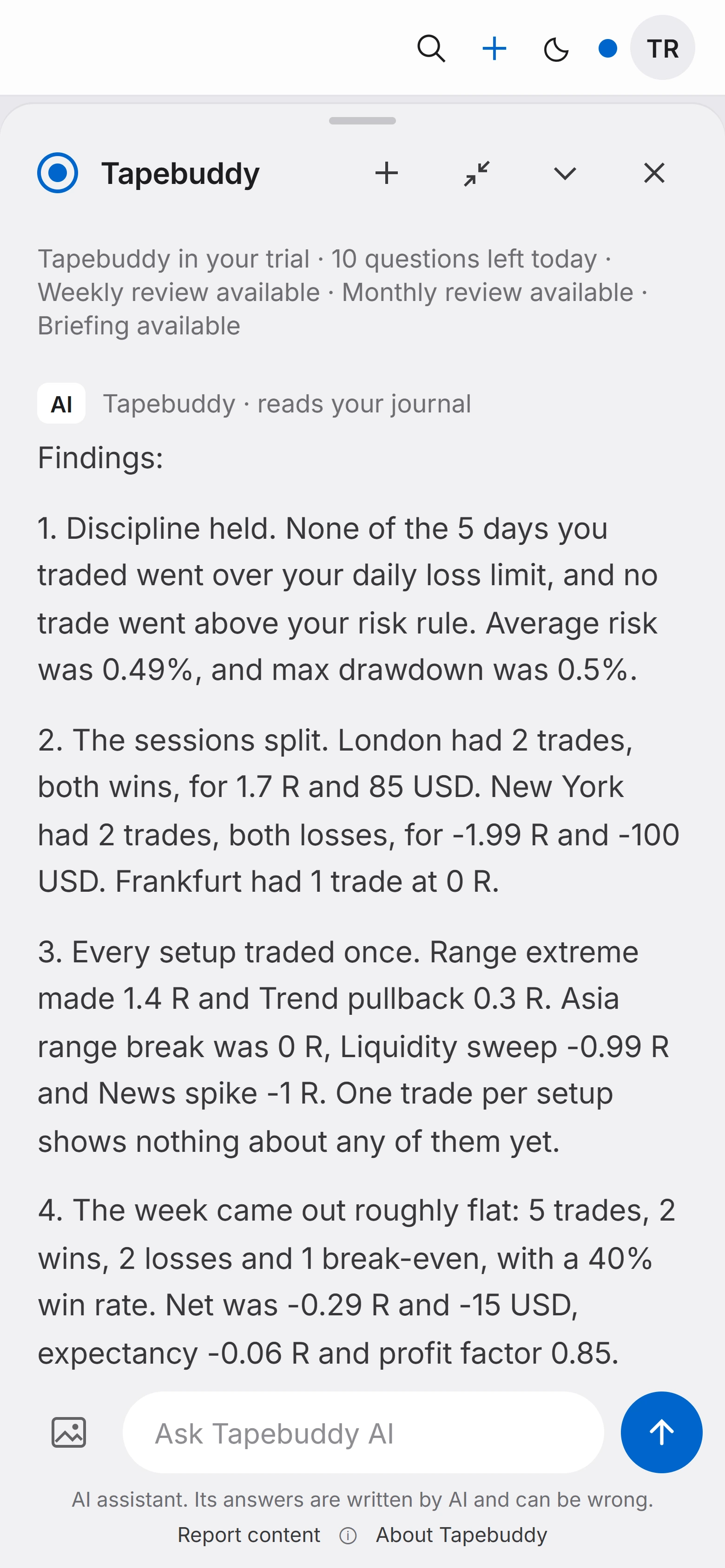
02 Weekly review
A few findings, each with its numbers: whether your limits held, how the sessions split, how each setup did.
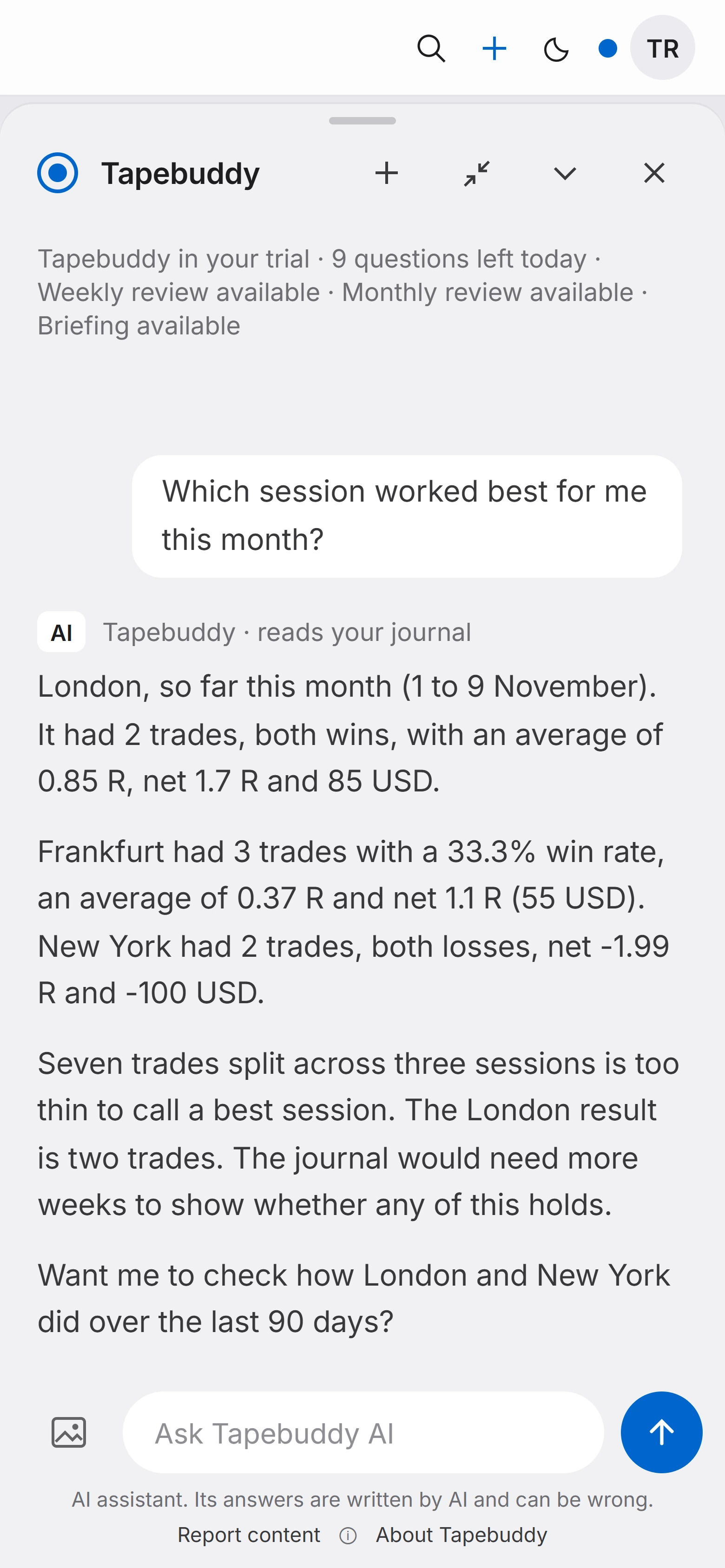
03 Your question
The answer comes from your trades. When seven trades are too few to call a best session, it says so.
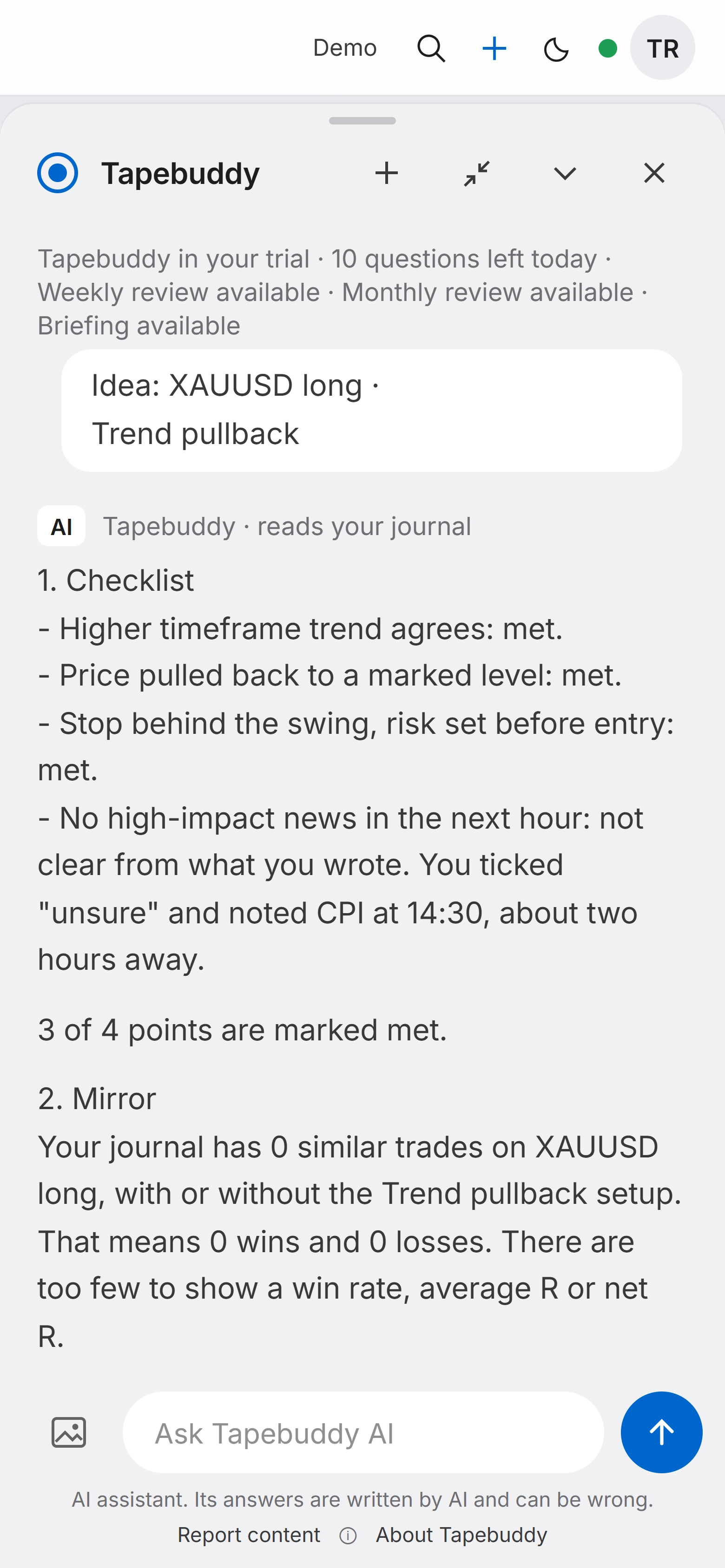
04 Tapebook Pro
Before you act, show it the idea: your setup's checklist with your answers, the symbol, the direction, the stop and the risk you plan. It sets the idea against your rules and your own history.
When
It answers when you ask. Nothing runs in the background.
From what
Numbers the app has already counted, from your own journal.
How sure
When the trades are too few to tell, it says so.
What it won't say
Enter or stay out. No direction and no lot size. The decision is yours.
“Seven trades split across three sessions is too thin to call a best session. The journal would need more weeks to show whether any of this holds.” From a real answer on demo data
What it does
Tapebuddy answers when you ask. It doesn't run in the background and it doesn't send alerts. No signals, no direction, no position size: this is not investment advice. A fair-use limit applies each month. When it runs out, Tapebuddy waits for the next month and the rest of the journal works as before.
Accounts, limits, analytics
Portfolio
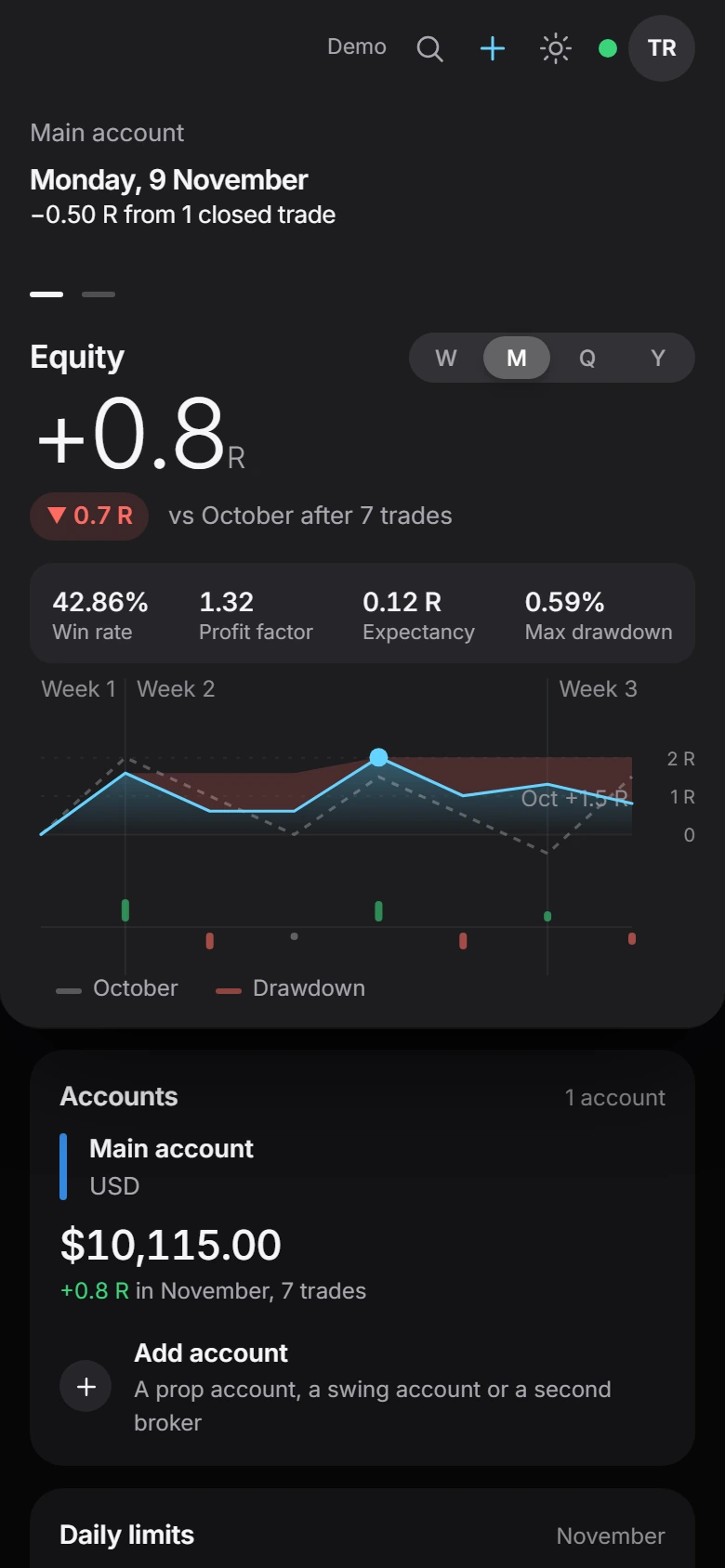
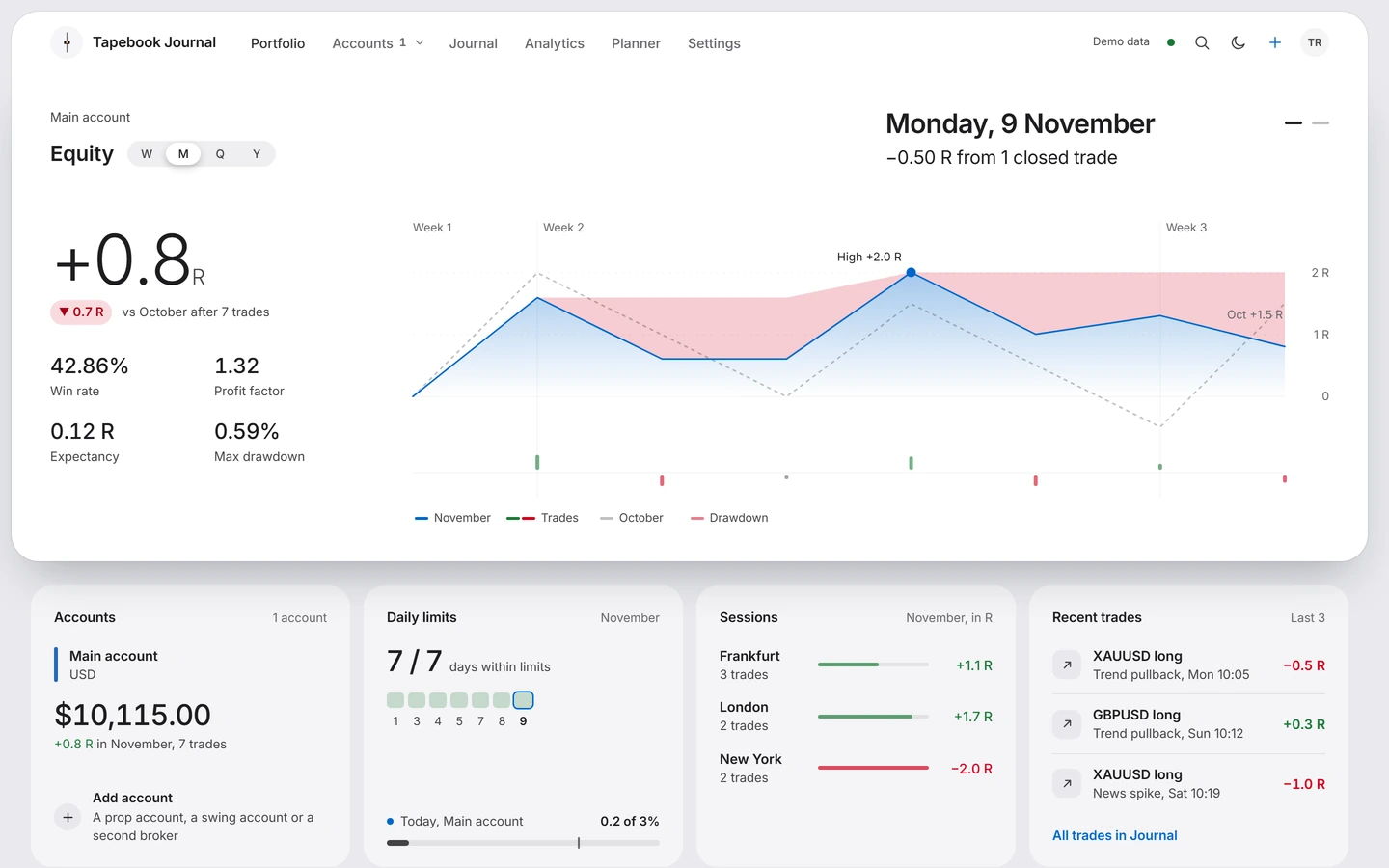
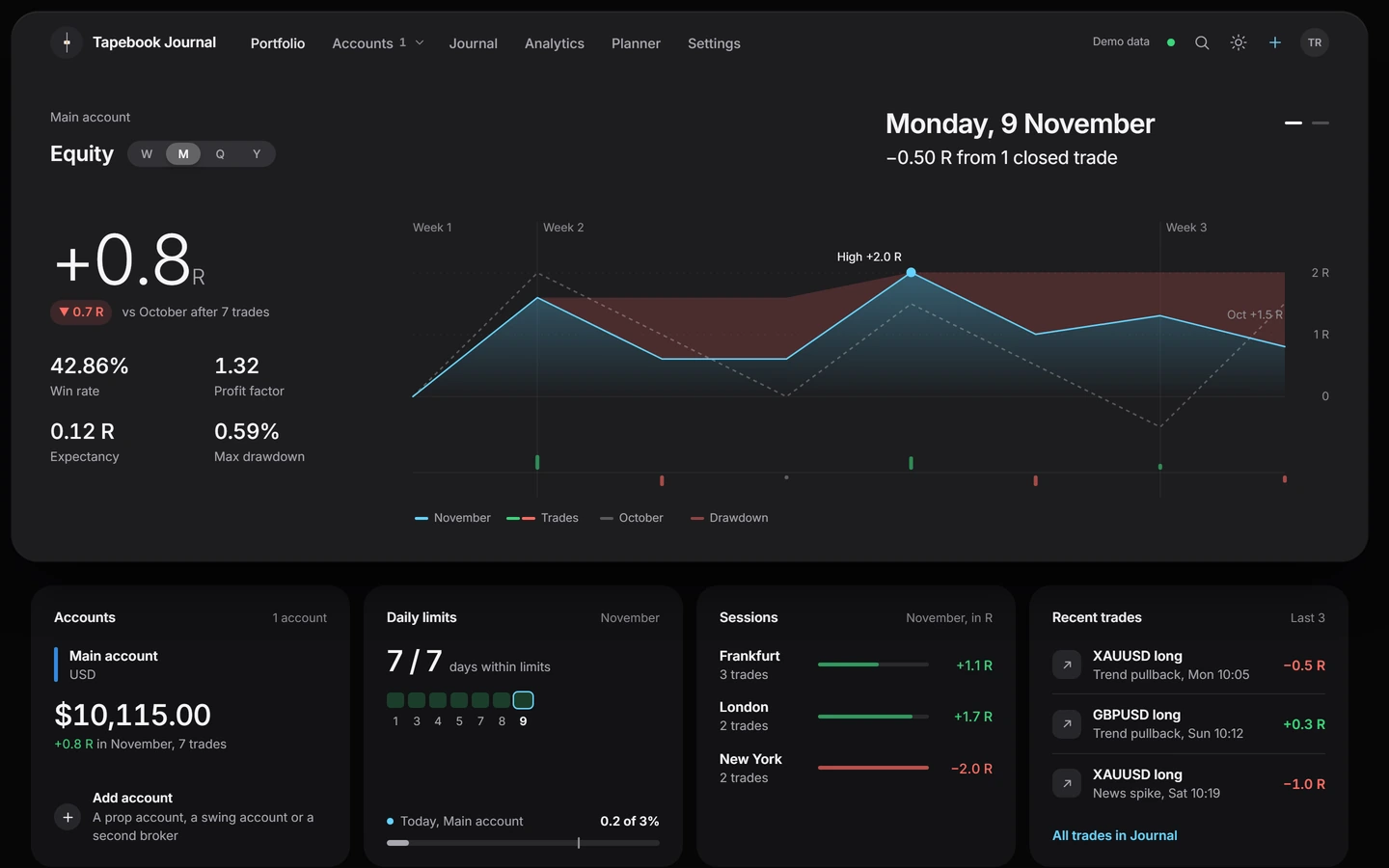
Balances, an equity line, how much of each account's loss limits is used and what needs your attention. Balances in different currencies are never added together. Deposits and withdrawals sit under Cash flow, apart from the trading result.
On the screenDaily limits · 7 / 7 days within limits
Risk limits
Give each account a daily and a weekly loss limit, and a target for trades per week. Tapebook shows how much is used and counts the days you stayed inside.
On the screenToday: 1 trade closed · Before the session · Journaled
Analytics
Results by session, setup and symbol, in R or in your account currency. Tapebook names what works only when both sides of a comparison have enough trades. Until then it tells you how many are missing.
On the screenSessions · Not enough trades yet.
20
Closed trades with R on each side of a comparison before Tapebook names what works, and only if the gap is too wide to be chance
Yours, by design
Know this first
| In short | A spreadsheet | Tapebook |
|---|---|---|
| Getting trades in | Typed or pasted by hand. | Read from MetaTrader 5 by the Connector, imported from your platform, or typed. |
| Duplicates | Yours to find. | Checked before anything is saved. |
| Results | In money, unless you build the formula. | In R by default, with a switch to your account currency. |
| Before the session | An empty cell. | Your mood, your checklist and the plan of the day. |
| Loss limits | A number you keep in your head. | Daily and weekly, with how much is used today. |
| Review | When you get round to it. | A page for every day and every week, built from the trades. |
| On the phone | A sheet that is hard to read. | The same journal, fitted to the screen. |
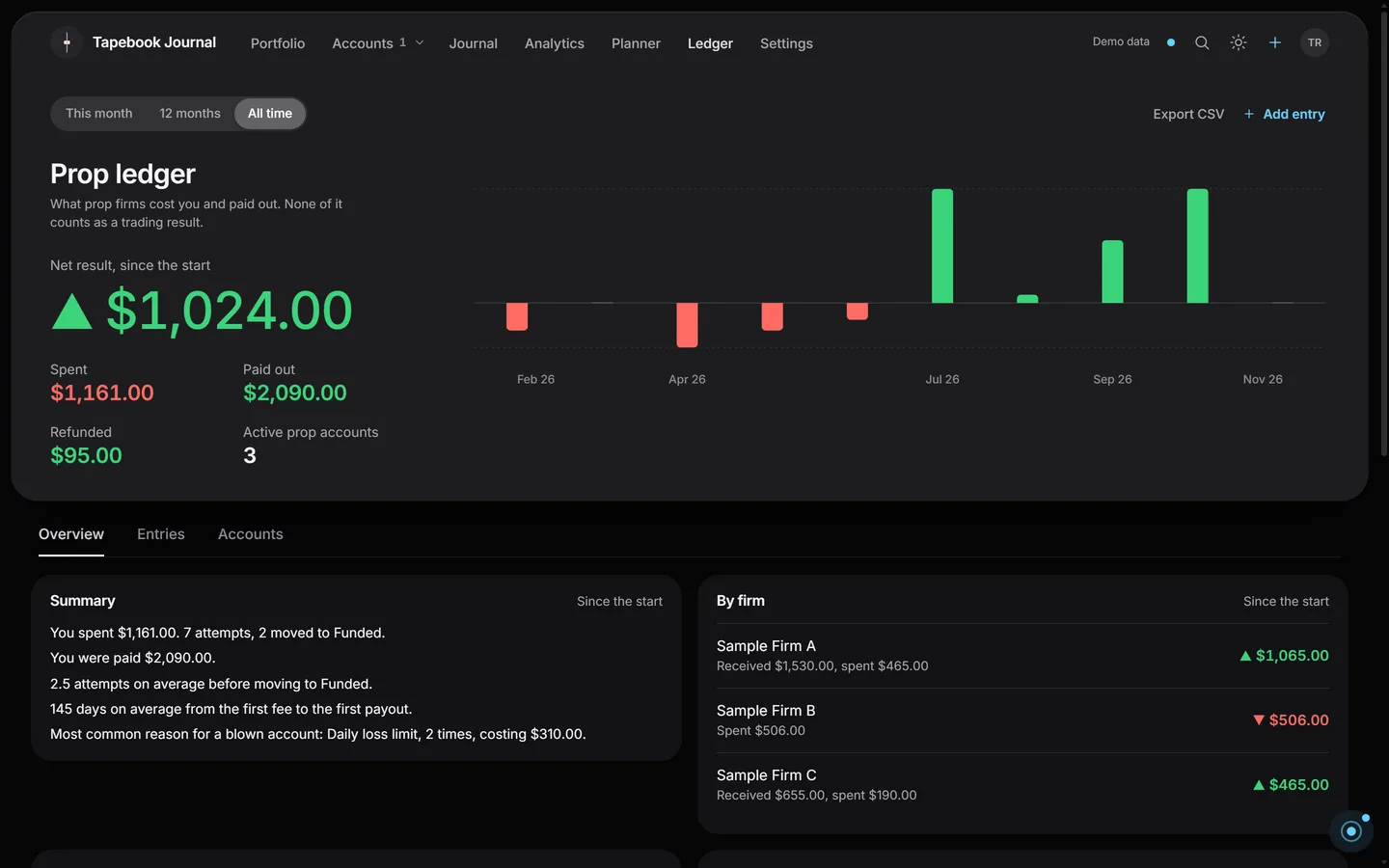
Prop ledger
Log every fee, reset and data cost, and every payout and refund. Prop ledger shows your net result by month and keeps it apart from your trading results. You can export it as CSV. In both plans.
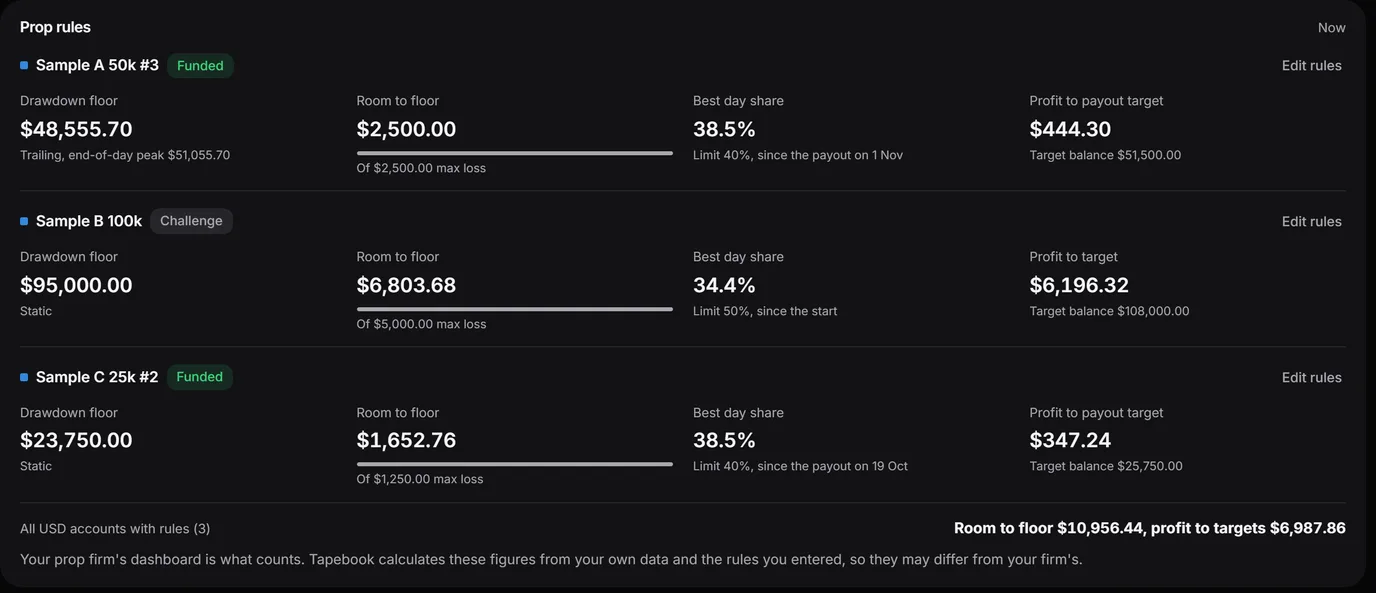
Prop rules shows each prop account against the rules you typed in: room to the drawdown floor, the best day's share and the profit still to target. It only shows. It never blocks a trade. Your prop firm's dashboard is what counts. Tapebook calculates these figures from your own data and the rules you entered, so they may differ from your firm's.
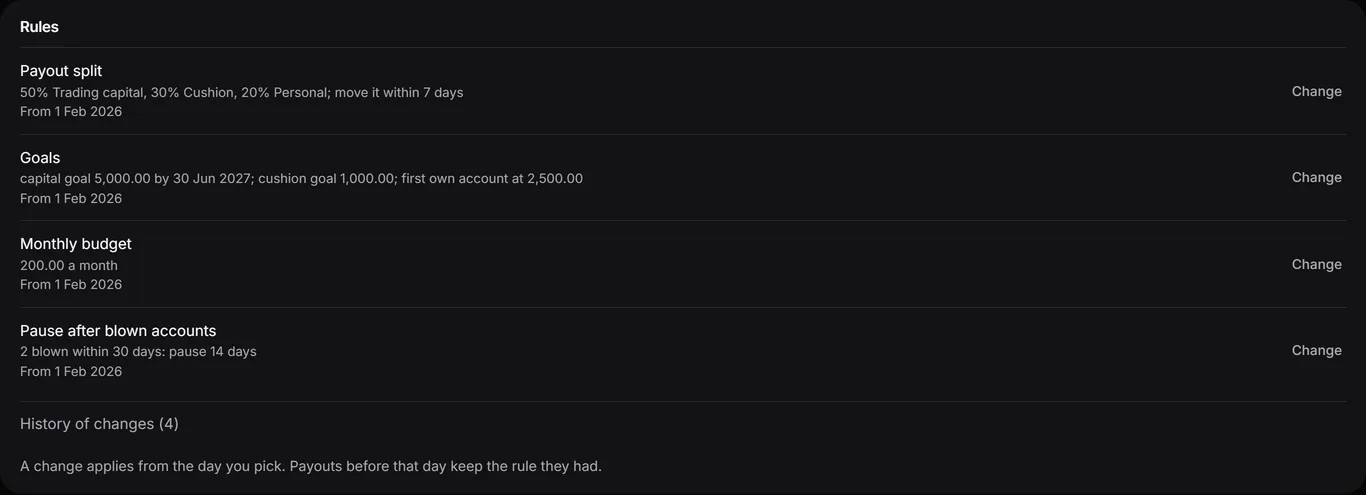
Decide once where each payout goes, and see how far you are from trading your own capital.
Every field starts empty. Tapebook has no presets and no data about prop firms: you type in your own rules from your firm's terms.
Desktop and phone
Tapebook runs in the browser on your desktop. There is nothing to download and nothing to install. Sign in with an e-mail and a password, with two-step sign-in from an authenticator app if you want it.
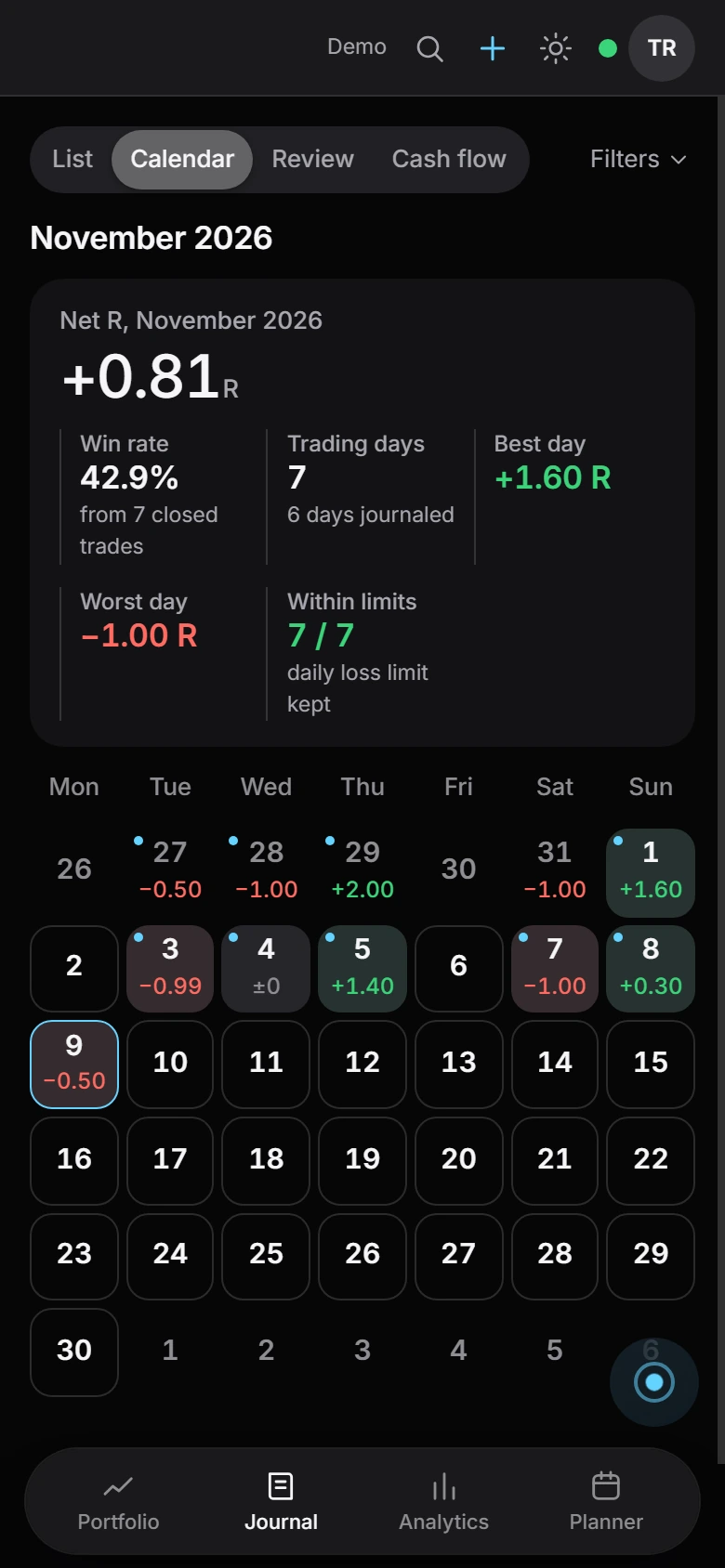
On a phone, open Tapebook in the browser and add it to your home screen. It is the same account and the same journal, fitted to the small screen. Notifications stay off until you turn them on. They are only about your account. A separate switch tells you when the Connector stops sending. On an iPhone they work after you add Tapebook to the Home Screen.
Portfolio, the same screen twice / drag the line / demo data
Around the session
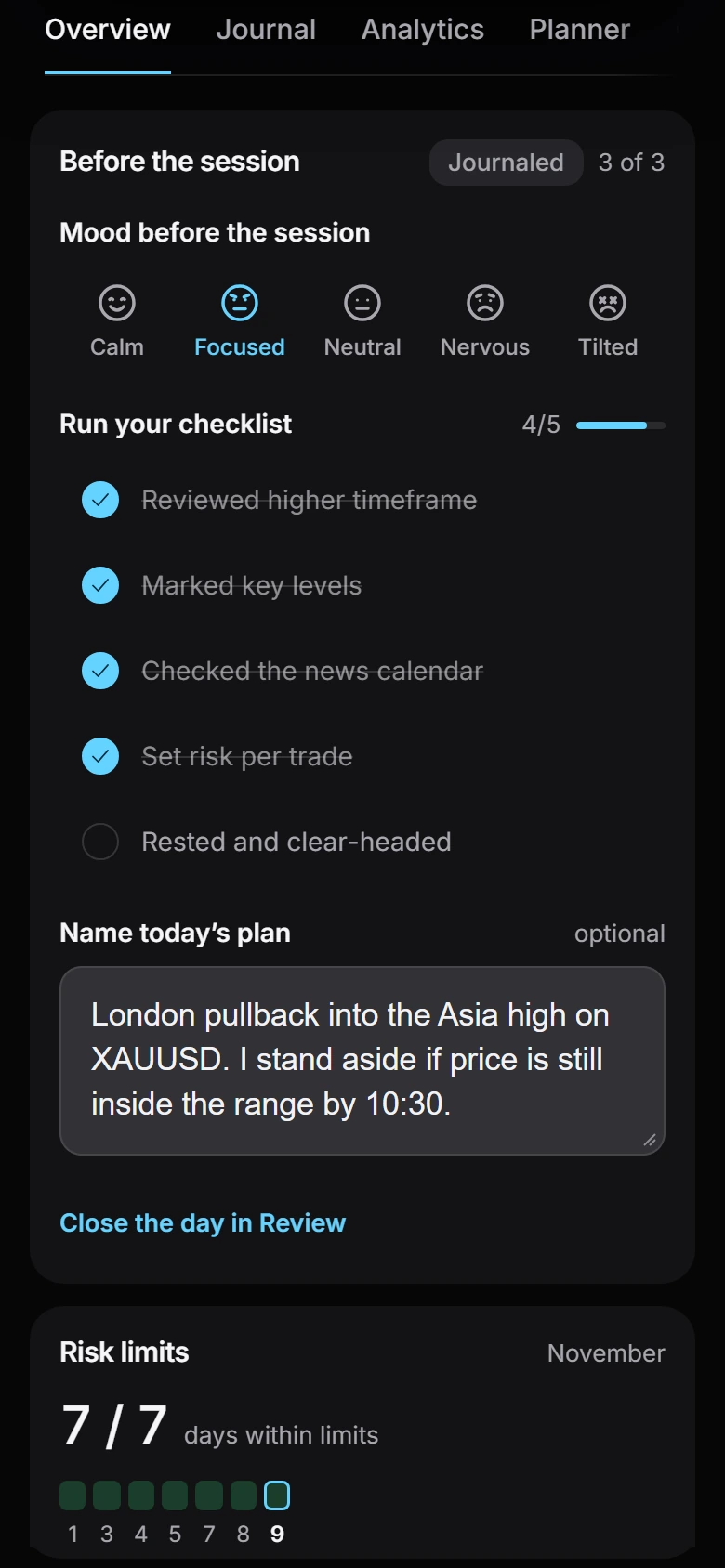
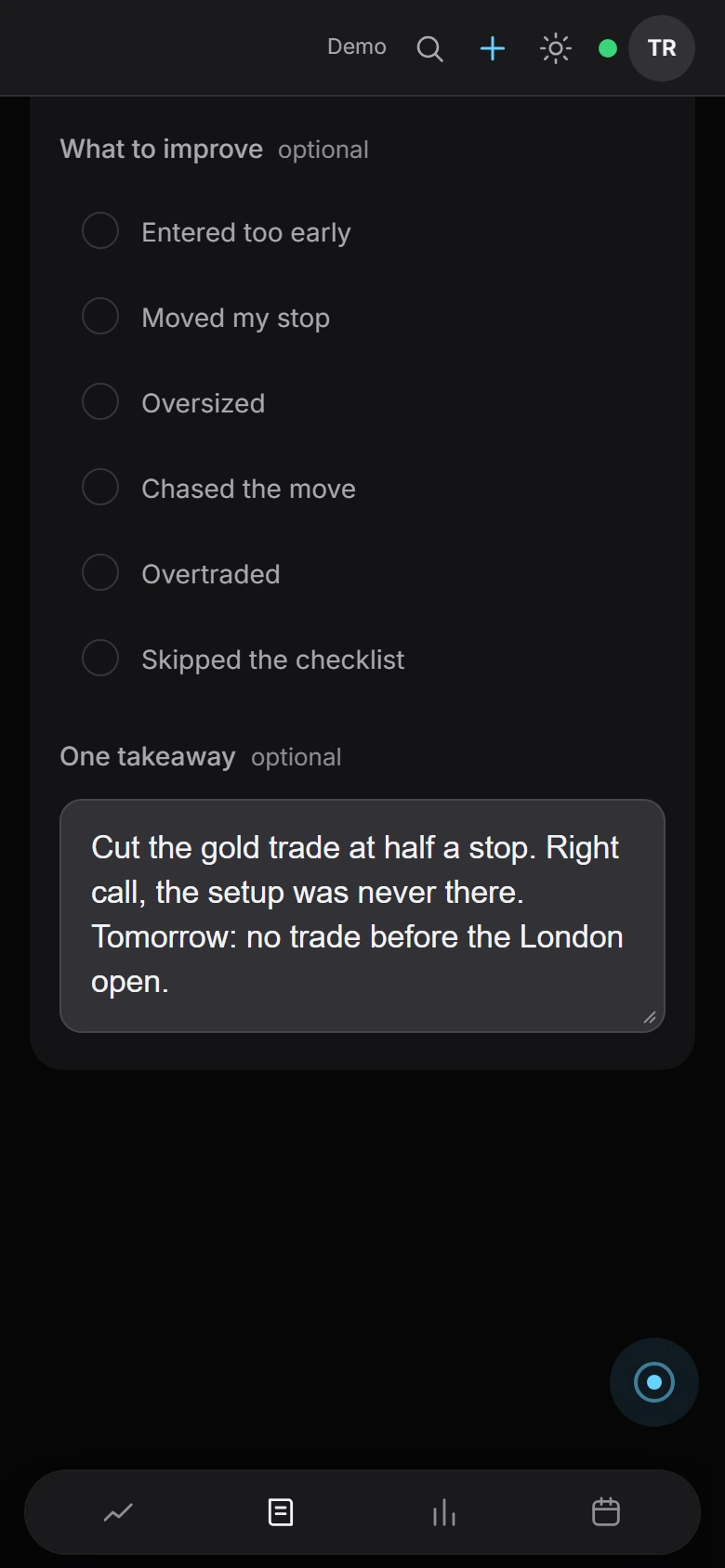
On a phone it is the same journal. Four moments of one demo day, each on its own screen.
08:40 Before the session
Your mood, your own checklist and one sentence about today. The evening gets compared with it.
10:33 The trade
The trade is in. Add the note while you still remember the reason, a screenshot of the chart and a tag for the state you were in.
17:30 Day review
The day review shows the result and how much of the daily loss budget you used. Then you tick what worked and what to improve and write one takeaway.
Sunday Week review
The week against your plan, the best trades next to the worst ones, and Tapebuddy's review if you want it.
Trades in / Tapebook Connector
Tapebook never logs in to your broker and never asks for your broker password. Instead the Tapebook Connector reads the account's history inside your MetaTrader 5 terminal and passes the executed deals to Tapebook.
It can't place, change or close a trade.
It never asks for one.
Trades from the terminal wait on the Connect MT5 screen. Nothing enters the journal until you press Add.
It comes with your Tapebook plan or trial. Trades arrive without a stop, so add the stop to a trade to see its R. About the Connector
Other ways in
Export your history from the platform and choose the file, or type the trade in yourself. Import the same history twice and nothing doubles: the check step shows what is already in the journal before anything is saved.
Demo
In your browser / no account needed
01 Look
Open the demo. It's the real journal filled with sample trades.
02 Sign up
An e-mail and a password, then confirm the e-mail.
03 Trial or plan
Press Start 7-day trial for 7 days of Tapebook Pro, or choose a plan, monthly or yearly.
Plans
The whole journal. Tapebuddy with a short weekly review and 5 questions a day per account. Up to 5 active accounts and 1 GB for screenshots.
The same journal. Tapebuddy with the full weekly and monthly review, a morning briefing, 30 questions a day per account and your trading profile. Unlimited accounts and 5 GB.
TapebookTapebook Pro / before tax
$129$215 a year
About $10.75 a month, billed yearly.
About $17.92 a month, billed yearly.
Renews automatically every year until you cancel. Cancel any time.
Get TapebookTapebookTapebook Pro / before tax
$15$25 a month
Renews automatically every month until you cancel. Cancel any time.
Get TapebookCheckout You choose a plan and pay inside Tapebook, at tapebook.dojiwave.com. Paddle handles payment and invoices. Checkout shows your total, including any tax for your country, before you pay. Your price stays as long as your subscription renews without a break. Cancel any time. Before you pay, you can start 7 days of Tapebook Pro: no card and no automatic payment. After that the journal is read-only until you choose a plan. One trial per person.
Both plans are the whole journal. They differ in how much Tapebuddy does, how many accounts you keep and the room for screenshots.
| What differs | Tapebook | Tapebook Pro |
|---|---|---|
| Weekly review by Tapebuddy | Short: one or two findings with numbers | Full |
| Monthly review | - | Once a month |
| Morning briefing | - | Once a day |
| Questions to Tapebuddy | 5 a day per account | 30 a day per account |
| Trading profile | - | Yes, with summaries of the last 12 weeks |
| Chart screenshot in a conversation | - | One per conversation |
| Each saved trade checked against your rules | - | Up to 20 a day |
| Check my idea | - | Up to 10 a day |
| Accounts | Up to 5 active | No limit |
| Room for screenshots | 1 GB | 5 GB |
Your data
Download the whole journal as one file, screenshots included, or export the trades to CSV. At any time.
When a plan ends
The journal turns read-only. You can open it and export it. You get an e-mail before anything is deleted.
Demo first
Show demo data fills the journal with sample trades and plans, so you can look around before your own history is in.
Tapebook is a trading journal that runs in your browser, on desktop and phone. It records your trades with the result in R, shows how much of the loss limits you set is used and reviews your day and your week. It looks back at your own trading. It gives no signals or advice, places no orders and doesn't connect to your broker.
MetaTrader 5, MetaTrader 4, cTrader and Match-Trader. From any other platform, bring a CSV or Excel file and say once which column is which. You can also add a trade by hand.
No. It never logs in to your broker or your trading account. Trades arrive from a file you import or from the Tapebook Connector, a program in your MetaTrader 5 terminal. The Connector only reads: it can't place, change or close a trade, and it never asks for your MetaTrader password.
No. Tapebook shows how much of each limit is used and never blocks a trade.
No, and there is nothing to install. Tapebook is a web app fitted to phones. Open it in your phone's browser and add it to the home screen. It is the same journal as on the desktop.
R is the result of a trade measured against what you risked on it. A trade that risked $50 and lost $25 is -0.5R. Counting in R lets you compare trades of different sizes and accounts of different sizes. One switch shows the same results in your account currency.
Tapebuddy is the AI in the journal. It reviews your week and answers questions about your own trades, working on the numbers the app has already counted. Its answers are written by AI and can be wrong. It gives no signals, no direction and no position size.
No, not unless you allow it. Without your consent it sees numbers, tags and dates only.
Yes. Sign up, confirm your e-mail and press Start 7-day trial: 7 days of Tapebook Pro with no card and no automatic payment. Some limits are lower during the trial, and Account and plan lists them. After 7 days the journal is read-only until you choose a plan, and you can still read it, export it and download a backup. Each person gets one trial, and an account that has already paid can't start one.
Yes. The demo opens in your browser without an account and shows the journal filled with sample trades. Once you have an account, Show demo data does the same inside your own journal.
It becomes read-only. You can open it and export it, but not add to it. You get an e-mail before anything is deleted, and renewing before then keeps the journal. A backup of the whole journal can be downloaded at any time.
Yes. Turn on the Prop ledger in Settings. It shows what you spent on fees and resets, what was paid out and refunded, and your net result by month. None of it counts as a trading result.
Yes. Turn off renewal in Settings > Account and plan or in Paddle's customer portal. You keep access until the end of the period you paid for.
The app is in English. Tapebuddy answers in the language you ask in.
Chrome, Edge, Safari and Firefox, on desktop and phone.
No, the Connector is for MetaTrader 5 only. From MetaTrader 4, cTrader or Match-Trader you import a report file.
Your account, journal and screenshots are stored in data centres in the European Union. Some services we use, such as the AI behind Tapebuddy, may process data in the United States. The Privacy Policy says who processes it, where and why.